
In December, Spotify Wrapped became a huge trend as people across the country shared their annual music summaries. Your Spotify Wrapped shows your real music taste from the past year more accurately than you do.
So, how do you enter this feast, make Spotify Wrapped, and how do you make your music data look better? Welcome to this guide, which will tell you about creating Spotify Wrapped and how Spotify Wrapped is calculated.
The 2025 Spotify Wrapped Campaign: A Global Celebration
Spotify Wrapped is Spotify’s annual personalized recap that summarizes your listening habits throughout the year. It usually appears around late November or early December and includes: Top songs, Top artists, Favorite genres, Total listening minutes, Listening personality, Audio aura, Monthly listening trends, Podcasts and audiobooks, Sharing cards for social media.
The feature became one of the biggest viral marketing events in digital music history. What started as a simple “Year in Review” evolved into the massive Spotify Wrapped campaign that dominates TikTok, Instagram, X, and basically every group chat for two weeks straight.
Spotify turned user data into entertainment. Honestly, that’s marketing wizardry.
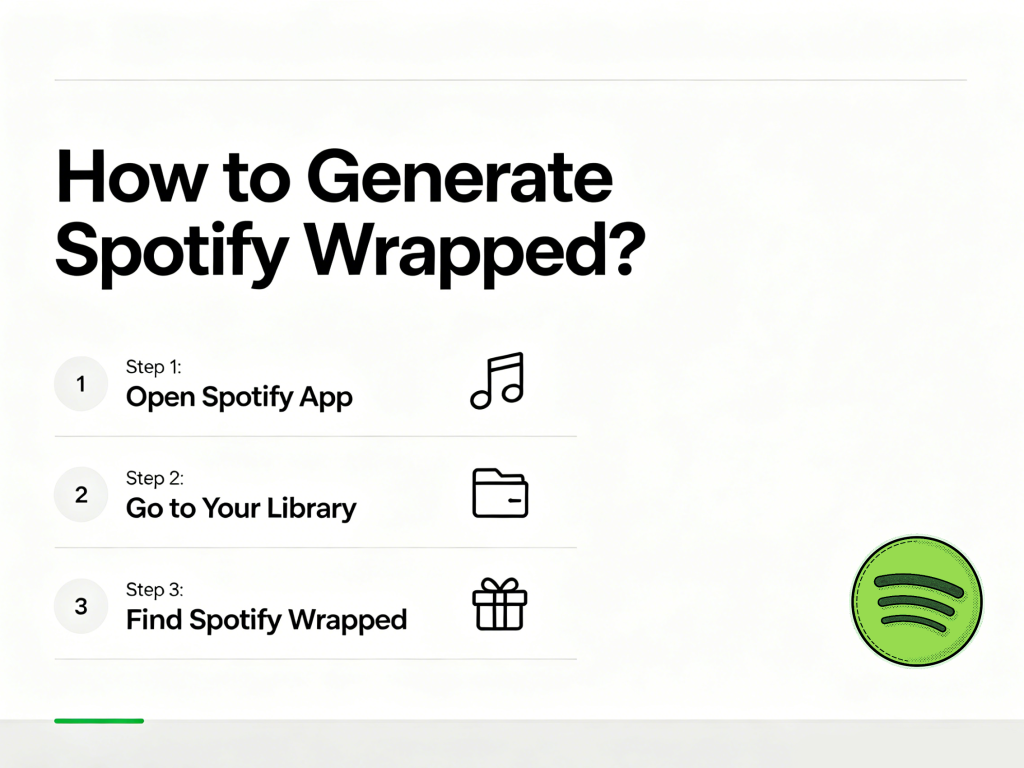
How to Generate Spotify Wrapped?
Many users think they need to manually create Wrapped. Actually, Spotify automatically generates it for eligible accounts. According to Spotify’s official guidelines, to receive a personalized Wrapped experience, you need to have streamed at least 30 songs for more than 30 seconds each and listened to at least five different artists during the tracking period.
Here’s how to access it once Spotify releases it.
Method 1: Open the Spotify App
- Update Spotify to the latest version
- Open the app
- Look for the “Your Wrapped” banner on the home screen
- Tap it
- Start viewing your stats
Spotify Wrapped is mainly designed for mobile devices, so the desktop version often has limited features.
Method 2: Search for Wrapped
If the homepage banner disappears:
- Open Spotify
- Tap Search
- Type “Wrapped”
- Open the official Wrapped section
Spotify occasionally hides the feature behind algorithmic recommendations, so some users miss it even though it’s available.
Why Your Spotify Wrapped Is Missing?
- Your App Is Outdated
Old versions may not support the newest Wrapped features.
Fix: Update Spotify APP
- You Didn’t Listen Enough
Spotify usually requires meaningful listening activity throughout the year. If you barely used the app, your Wrapped may not appear.
- Region Restrictions
Some Wrapped features launch gradually by country.
- Modified Apps Like Spotify Vanced
Spotify Vanced and other modded APKs can interfere with: Account syncing, listening data, Analytics tracking, and wrapped calculations.
Some users discover their Wrapped statistics become incomplete or inaccurate after using unofficial Spotify modifications.
- Offline Listening Wasn’t Synced
Offline streams count only after reconnecting to the internet.
If syncing fails, your listening history may never upload properly.
How Is Spotify Wrapped Calculated?
Spotify tracks an enormous amount of behavioral data throughout the year. Since starting Wrapped in 2015, Spotify has updated its methods, and the 2025 version uses more detailed calculations than ever before.
Stream Definition and Counting Rules:
For Wrapped, a “listen” is counted once a track has been played for more than 30 seconds. Each play counts as one stream, regardless of the song’s length. Skipping songs quickly or stopping early means they won’t count toward your year-end stats.
Different Metrics for Different Categories:
- Top Songs: Ranked by total number of listens
- Top Artists: Rankings are based on stream totals, giving more credit to main artists than featured ones.
- Top Albums: This is recorded if you listen to most of the songs on an album. Your score is based on your total streams and how evenly you played the different tracks.
Data Collection Period:
Wrapped captures your listening from January 1 until mid-November. This deadline gives Spotify enough time to organize the data and get ready for its launch in early December.
Privacy Considerations:
Listening in Private Mode or using songs you have excluded from your Taste Profile will not affect your personalized music stories.
How to Get Spotify Listening Age?
The Spotify Listening Age examines the release dates of your most-played music to find a five-to-seven-year period during which you listen to more than others your age. It then guesses your age by assuming you were about 18 years old when that music first came out.
It sounds a bit tricky, but that’s okay. We just need to understand how to check your Spotify Wrapped listening age.
- Open your Spotify app and access your 2025 Wrapped story
- Scroll through the slides until you reach the one that begins with “Age is just a number. So don’t take this personally”
- Your Listening Age will be displayed alongside an explanation of what it means
Celebrity Listening Ages (For Perspective):
- Madison Beer: 76 (music from the late 60s)
- Charli XCX: 75 (music from the late 60s)
- Gracie Abrams: 73 (music from the late 60s)
- Rachel Zegler: 67 (music from the early 70s)
- Jennifer Garner: 66 (music from the late 70s)
- Karol G: 51 (music from the 90s)
- Ariana Madix: 24 (music from the late 2010s)
Check out Spotify Wrapped anytime
Spotify Wrapped data is only available in December. To check your listening data in your daily life, you can use the following methods.
- Stats for Spotify
Spotify’s official website. You can view your most frequently listened-to songs, artists, and music genres. Updated daily, presented in a simple, personalized chart format.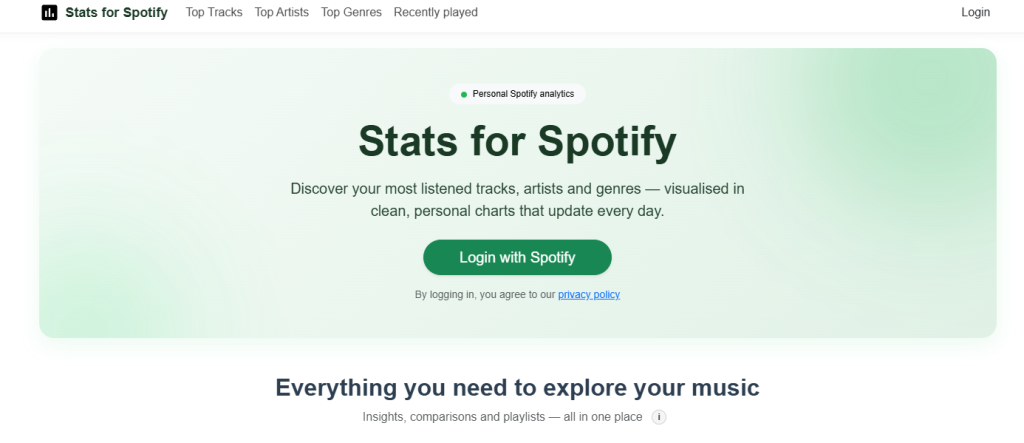
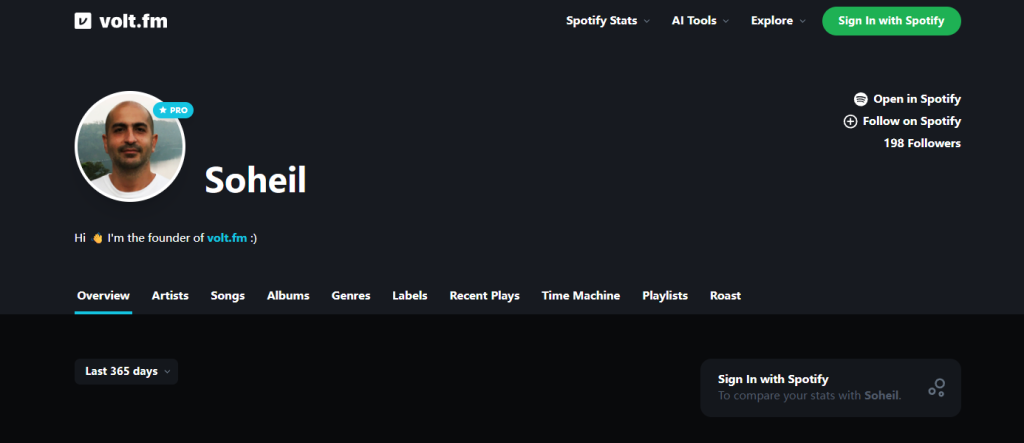
- volt.fm
A website created by Spotify users to view Spotify Wrapped data. It updates daily and allows you to share your data with other users.
- Last.fm
A third-party website for viewing listening history; you can view data from Spotify, YouTube, Music, Tidal, and SoundCloud.
Frequently Asked Questions About Spotify 2025
Q: Can I get Wrapped if I only use the free version of Spotify?
A: Yes! Wrapped is available to both Free and Premium users, though some advanced features or early access might be limited to Premium subscribers in certain regions.
Q: Does Spotify Vanced Affect Wrapped?
A: Potentially yes. Modified Spotify apps can create problems because they bypass or alter normal app behavior. The Spotify Vanced app offers a free and clean listening experience. If you don’t need Spotify Wrapped, you might consider downloading the Spotify Vanced APK.
Q: How can I influence my next Wrapped?
A: Use Private Mode for listening you don’t want to count toward your taste profile, and utilize the “exclude from Taste Profile” feature for specific songs or playlists. Be mindful that streams need to be over 30 seconds to count, and you need at least 30 songs from 5 different artists to qualify.
Q: Why does my top artist not appear in my top songs?
A: This happens because Spotify uses different metrics for each category. Top artists are ranked by weighted stream count, while top songs are ranked by total listens. If you listened to many different songs by one artist rather than repeating a few favorites, that artist could be your top artist without any individual song making your top songs list.
Personal Evaluation and Conclusion
Spotify Wrapped became much bigger than a music summary feature. It’s now part nostalgia machine, part social media trend, part algorithmic personality report.
I think that understanding your own listening habits is also a way of understanding yourself.


