If you use Spotify on a Windows PC or Mac device, you may sometimes feel that the volume is too low—even when your system volume is already at 100%. This is a common problem, especially when switching between different headphones, speakers, or apps. Some users even turn to solutions like Spotify Mod Desktop in search of higher volume or fewer playback limitations.
Here, we’ll share some practical and safe ways to make the Spotify app louder on PC, answer some frequent questions, and finish the article with some useful tips and recommendations. If you have the some problems, just go with us!

1. Check Spotify’s Built-in Volume Settings
Before changing any system settings, start inside Spotify itself, to find out whether it is the problem of the app.
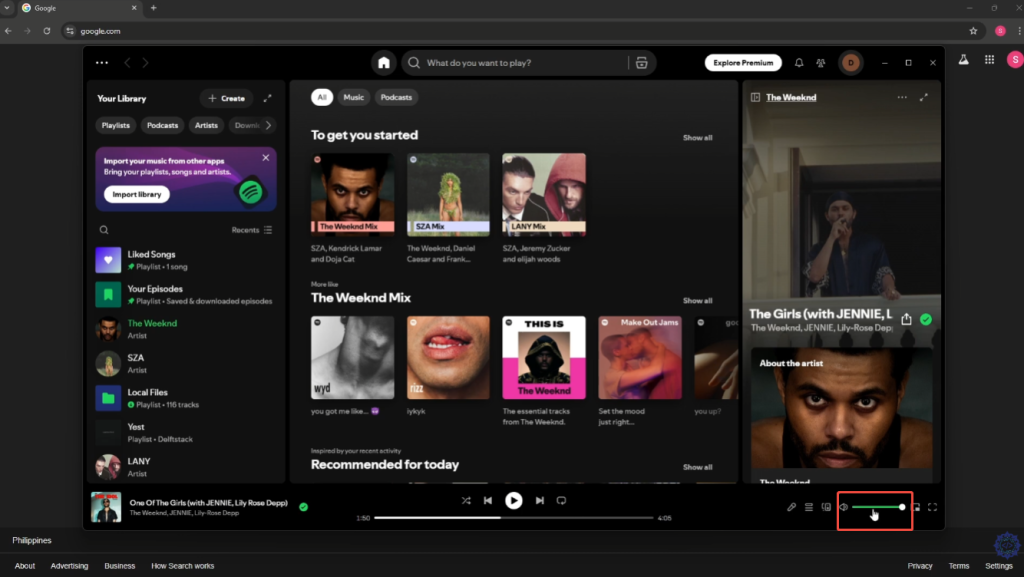
Adjust Spotify App Volume
Open Spotify on your PC.
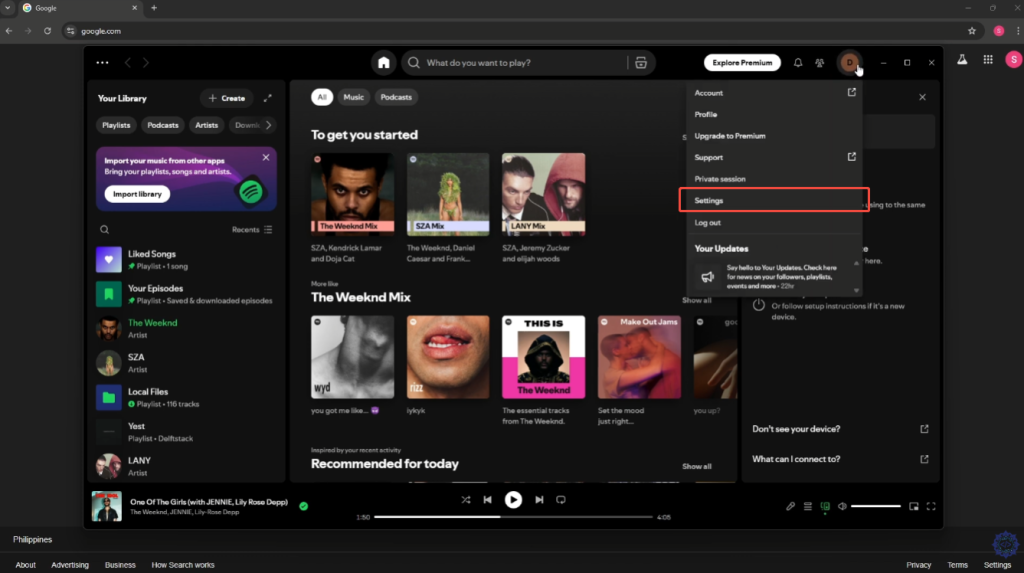
Click your profile picture.
Go to Settings.
Move to Audio Quality.
Find out the Volume Level and set it to Loud.
Spotify offers three volume modes:
Quiet – lowers overall volume
Normal – balanced default
Loud – increases output but may slightly reduce audio quality
For most users, switching to Loud immediately solves the problem.
2. Turn off the Volume Normalization
Spotify uses volume normalization to keep all songs at a similar loudness, but this can make music sound quieter.
Turn Off Normalize Volume
In Settings, move to Playback.
Turn Normalize volume off.
It allows the songs to play at their original loudness, which often sounds obviously louder than before.
3. Check Windows Volume Mixer
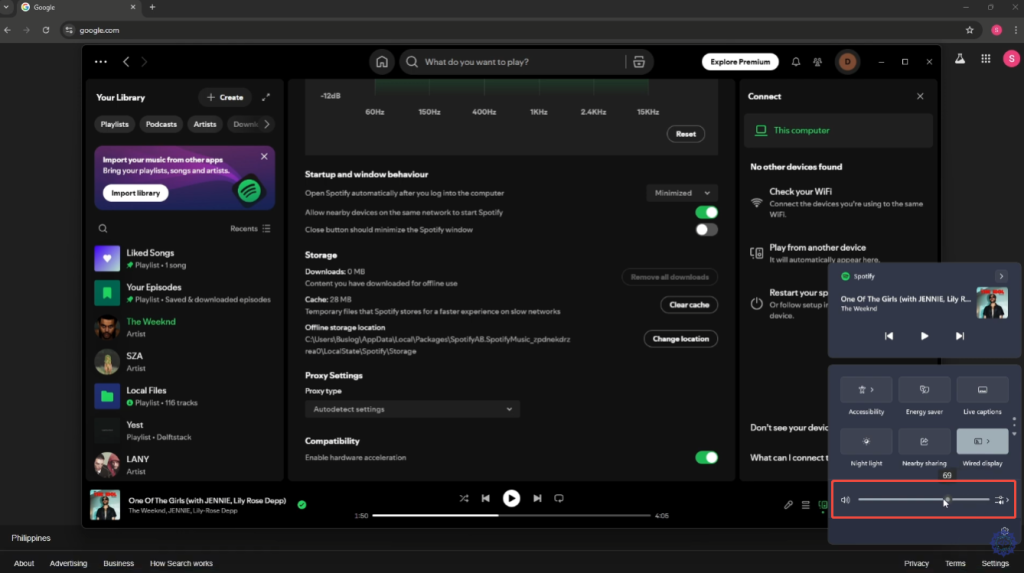
For Windows system, each app has its own volume level.
Make Sure Spotify Isn’t Turned Down
Right-click the speaker icon in the taskbar.
Select Open Volume Mixer.
Find Spotify.
Make sure its slider is set to 100%.
Many users find that Spotify’s volume was lowered here without realizing it.
4. Disable Audio Enhancements
Some system audio enhancements can reduce volume or cause distortion.
On Windows
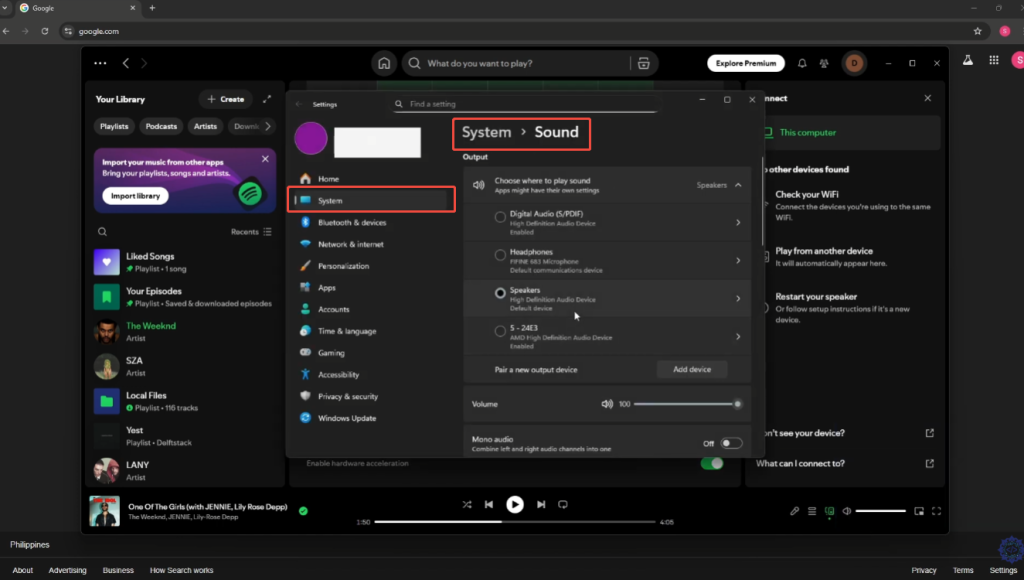
Right-click the speaker icon → Sound settings.
Go to More sound settings.
Choose your playback device → Properties.
Open the Enhancements tab.
Try:
Disabling all enhancements or
Enabling Loudness Equalization
Test these 2 options above to see which one gives better volume without distortion.
5. Update Audio Drivers
Outdated or generic audio drivers can limit maximum output.
Visit your PC or motherboard manufacturer’s website.
Download and install the latest audio driver.
Restart your computer.
This often improves both volume and sound quality.
6. Use External Volume Boosters
If Spotify is still too quiet, some third-party softwares will help you.
Common options include:
Equalizer APO
FxSound
Boom 3D
These tools can boost volume beyond normal limits, but be careful:
Too much amplification can cause distortion.
High volume may damage your speakers or hearing.
Always increase volume gradually, instead of turning the volume up to maximum all at once
7. Frequent Asked Questions
Why is Spotify quieter than YouTube or games?
Spotify often sounds quieter because it uses volume normalization and dynamic compression by default. This design helps keep songs consistent but will reduce perceived loudness compared to YouTube or games. If your goal is to Boost Spotify Volume, disabling normalization in settings or using a tool like Spotify Louder PC can usually fix this issue.
Will setting Spotify to “Loud” damage my speakers?
At normal listening levels, no. Spotify’s “Loud” mode is generally safe on its own. However, if you combine Loud mode with system-level volume boosts or third-party amplifiers designed to enhance Spotify Volume, such as Spotify Louder, pushing everything to the maximum may cause distortion or damage on your speakers. So, You can confidently turn the volume up to maximum on Spotify.
Is there a difference between Spotify Web and App volume?
Yes. The Spotify desktop app typically provides better volume control and higher output than the web player. For users on Windows, pairing the desktop app with a dedicated solution is often the most effective way to enhence Spotify’s volume without sacrificing audio quality.
Conclusion and Recommendations
Making the Spotify app louder on PC is usually easy and does not require you to download risky software or hardware changes. In most cases, you should:
Set Spotify’s Volume Level to Loud.
Turn off Normalize Volume.
Check the Windows Volume Mixer.
Adjust system audio enhancements if needed.
Only use third-party volume boosters as a last choice, and always remember to protect your hearing and speakers. With the right settings, Spotify on PC can be just as loud and immersive as any other music app.