
Whether you’re curating a high-energy workout mix, a mellow late-night compilation, or a massive archive of your all-time favorite tracks, a spotify playlist is one of the most flexible and personal ways to organize your listening experience. As your collection grows, you’ve probably wondered: is there a maximum size? Does a spotify music playlist cap out at a certain runtime, or a certain number of songs?
In this guide, we break down Spotify’s official playlist limits, what happens when you hit the maximum, and practical workarounds for large libraries. We also include step-by-step walkthroughs for how to create a playlist on spotify and how to add youtube music to spotify playlist, so you can build and expand your collection with confidence.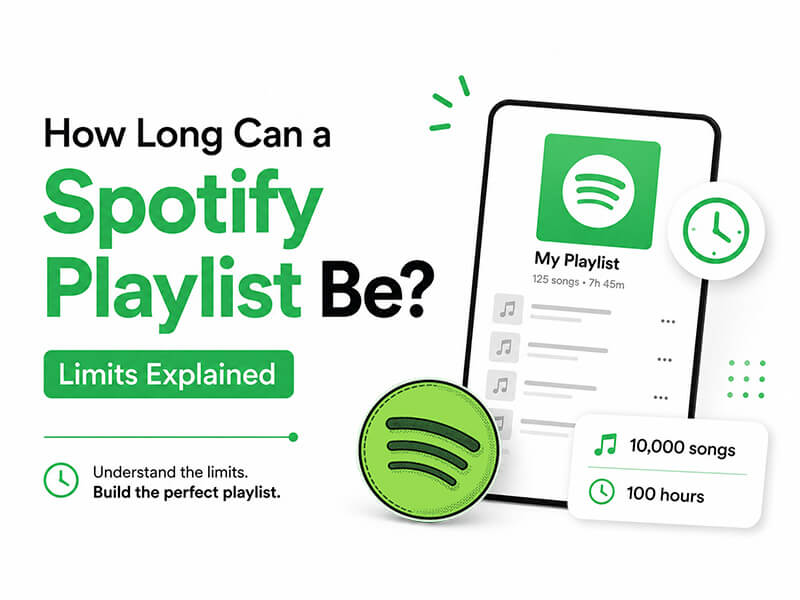
What Is the Official Spotify Playlist Size Limit
Unlike some streaming platforms that limit playlists by total runtime, Spotify measures its cap by the number of individual tracks.
1. The official rule is straightforward
Maximum tracks per spotify playlist: 10,000
To put that number in perspective: if every track runs an average of 3 minutes, a fully maxed-out playlist would equal roughly 30,000 minutes of continuous music — that’s 500 hours, or nearly 21 full days of nonstop playback. For most casual listeners, this limit is more than enough space for even the most ambitious themed collections.
2. A few additional details about limits
- There is no official cap on how many individual playlists you can create on your account. You can build as many genre-specific, mood-based, or occasion-focused playlists as you like, as long as each one stays under the 10,000-track limit.
- The 10,000-track rule applies equally to free and Premium accounts. There is no higher limit for paid subscribers when it comes to individual playlist size.
- Your Liked Songs library operates with its own storage limits, though Spotify has expanded this capacity over the years. For user-created playlists, the 10,000-track policy is universal.
What Happens When You Reach the Playlist Limit
When you attempt to add a new track to a spotify music playlist that already contains 10,000 songs, you will see an on-screen error message notifying you that the playlist is full. You will not be able to add any additional tracks until you free up space or split the collection.
If you hit the limit, these simple fixes will help you reorganize:
- Split the playlist by theme: Break your large collection into smaller, more focused lists sorted by genre, decade, mood, or occasion.
- Remove outdated tracks: Delete duplicates, skippable songs, and tracks you no longer enjoy to free up space.
- Use playlist folders: Group related playlists into folders on the Spotify desktop app to keep your library clean and easy to navigate.
How to Create a Playlist on Spotify
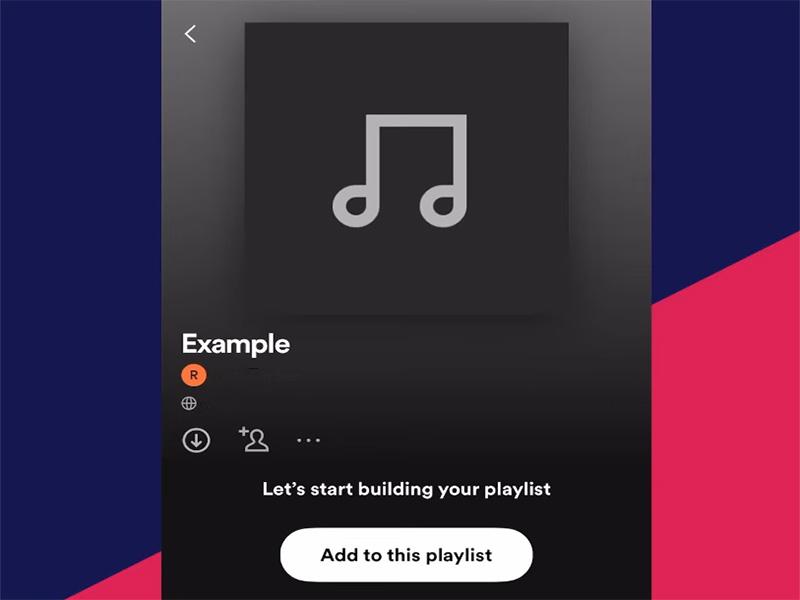
Building a new spotify playlist is quick and intuitive, whether you’re using a desktop computer or a mobile device. Follow these simple steps:
1. On Desktop (Windows / Mac)
- Open the Spotify desktop app and sign in to your account.
- In the left-hand sidebar, locate the “Your Library” section and click Create Playlist.
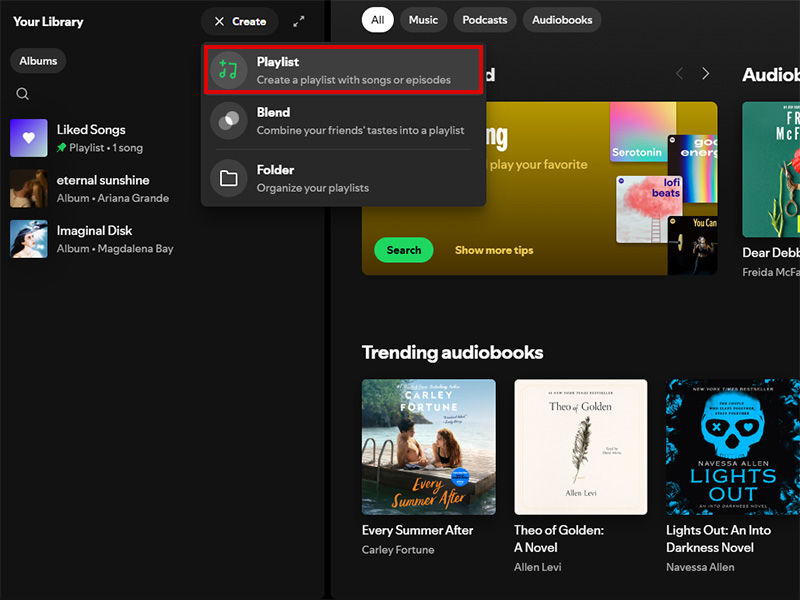
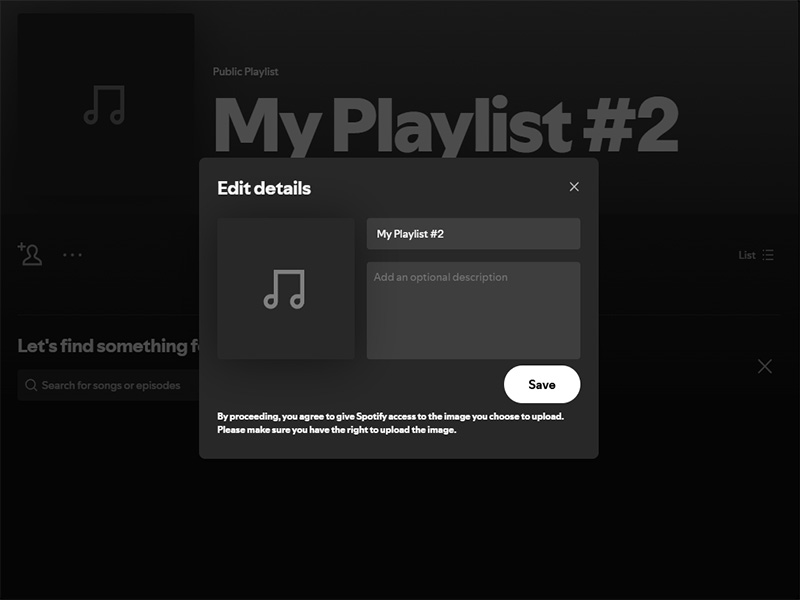
- Enter a name for your playlist, add an optional description, and upload a custom cover image if desired.
- Click Create to finalize your new playlist. You can now search for tracks and drag-and-drop them directly into the list.
2. On Mobile (iOS / Android)
- Launch the Spotify app and tap Your Library on the bottom navigation bar.
- Tap the + icon in the top-right corner of the screen, then select Playlist from the pop-up menu.
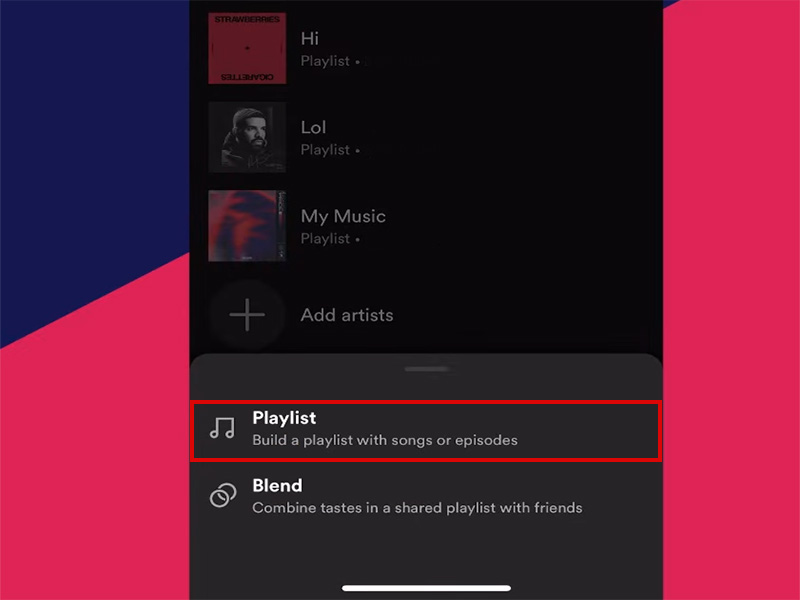
- Type a name for your spotify music playlist and tap Create.
- To add songs, use the search function to find tracks. Tap the three-dot menu next to any song, then select Add to Playlist to place it in your new list.
How to Add YouTube Music to Spotify Playlist
Many music fans build extensive collections on YouTube Music and want to bring their favorite tracks over to Spotify. There is no native, built-in feature to import playlists directly between the two platforms, but there are two reliable methods to make the transfer. Here’s how to add youtube music to spotify playlist:
Method 1: Third-Party Transfer Tools
Dedicated music transfer services are the fastest and most efficient way to move entire playlists from YouTube Music to Spotify. Popular, user-friendly options include Soundiiz, TuneMyMusic, and FreeYourMusic.
Follow this general process:
- Open your preferred transfer tool in a web browser.
- Select YouTube Music as your source platform, then log in with your YouTube Music account to grant access.
- Select Spotify as your destination platform, then connect your Spotify account.
- Choose the specific playlists you want to transfer from YouTube Music.
- Start the transfer process. The tool will automatically match each YouTube Music track to its equivalent on Spotify, then add all matched songs to a new or existing spotify playlist.
Note: Due to differences in music licensing, some rare tracks, live covers, or remixes may not have a matching version on Spotify. Most mainstream songs, however, will transfer successfully.
Method 2: Manual Transfer
If you only need to move a handful of songs, manual addition is a simple, no-tool option:
- Open your YouTube Music playlist and note down the song title and artist for each track you want to move.
- Open Spotify and use the search bar to look up each track individually.
- Open the three-dot menu next to each song, then select Add to Playlist to add it to your chosen spotify music playlist.
Tips for Managing Large Spotify Playlists
As your library grows, these simple tips will help you stay organized and avoid hitting the track limit unexpectedly:
- Use descriptive names and folders: Name playlists clearly by theme, mood, or occasion, and group related lists into folders on desktop for faster navigation.
- Audit your playlists regularly: Every few months, go through your playlists to remove duplicate tracks and songs you no longer listen to.
- Add descriptions: Jot down a short note about the playlist’s purpose or vibe so you remember its focus as your collection expands.
- Monitor collaborative playlists: If you share a collaborative playlist with friends, check in periodically to keep track of how many songs have been added. You can refer to our full walkthrough How to Make a Playlist Collaborative on Spotify Premium Mod to learn the full setup and permission controls for shared playlists..
Final Thoughts
To sum it up: a single spotify playlist can hold up to 10,000 songs, with no limit on total runtime or the number of playlists you can create. For most listeners, this is more than enough space to build detailed, personal collections for every mood and occasion.
Whether you’re just learning how to create a playlist on spotify for the first time or figuring out how to add youtube music to spotify playlist to grow your library, understanding these limits helps you organize your music smarter. If you ever do hit the 10,000-track cap, splitting your collection into smaller, themed playlists is a simple, effective way to keep your music easy to browse and enjoyable to listen to.


