
If you’re an independent artist, your Spotify profile is one of the first things listeners notice. A professional artist image helps build credibility, strengthen your brand, and attract more followers. Many musicians using DistroKid often ask how to change Spotify artist profile picture through their distributor account.
In this guide, we’ll explain exactly how to update your Spotify artist image using DistroKid and Spotify for Artists, along with common issues, image requirements, and useful tips for managing your artist profile in 2026.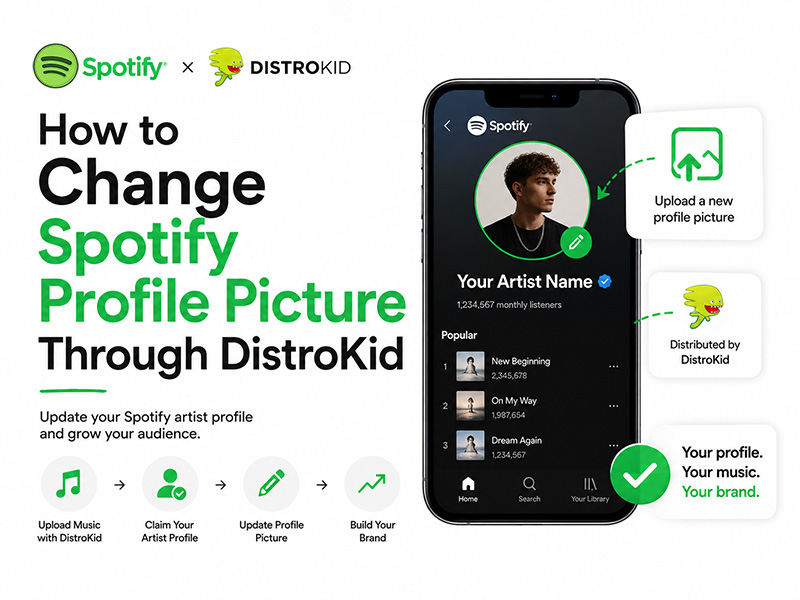
Can You Change Spotify Artist Profile Picture Through DistroKid?
The short answer is: partially.
DistroKid helps distribute your music to Spotify, but your actual artist profile customization is usually handled through Spotify for Artists.
That means:
- DistroKid connects your music to Spotify
- Spotify for Artists lets you edit your profile
- Artist photos, bios, and banners are managed inside Spotify’s artist dashboard
So while people search for DistroKid Spotify profile picture, most image updates are completed through Spotify for Artists.
How to Claim Spotify for Artists Through DistroKid
Before you can update Spotify artist profile, you need access to Spotify for Artists.
Steps:
- Upload music through DistroKid
- Wait for your release to appear on Spotify
- Log into DistroKid
- Open the “Special Access” section
- Click “Spotify for Artists”
- Request artist access
Once approved, you can manage your profile directly.
How to Change Spotify Artist Profile Picture
Here’s how to change Spotify artist profile picture step-by-step:
Step 1: Open Spotify for Artists
Log into your artist dashboard.
Step 2: Go to Profile
Navigate to:
- Profile tab
- Artist settings
Step 3: Upload New Image
Click:
- “Edit Image”
- Upload your new artist photo
Step 4: Save Changes
Spotify usually reviews profile updates within a short time.
That’s the easiest way to update Spotify artist profile professionally.
Best Image Size for Spotify Artist Photos
For the best results, Spotify recommends:
- high-resolution images
- square or portrait format
- clear lighting
- minimal text overlays
Recommended Specs:
- JPG or PNG
- at least 2660 x 1140 pixels
- under file size limits
Professional photos help improve artist branding significantly.
Why Your Spotify Artist Picture Isn‘t Updating
Sometimes artists upload a photo but don’t see changes immediately.
Common reasons include:
- Spotify cache delays
- incorrect image size
- review processing time
- internet sync issues
Usually, updates appear within:
- a few minutes
- several hours
- occasionally 1–2 days
Can You Update Spotify Artist Profile on Mobile?
Yes, but desktop access is generally easier for:
- uploading banners
- editing bios
- adjusting images
The mobile Spotify for Artists app supports basic profile management.
Spotify Premium APK Latest Version and Artist Features
Some users try using the spotify premium apk latest version for enhanced app features.
However, artist management tools like:
- profile editing
- analytics
- image uploads
still require official Spotify for Artists access.
APK versions mainly affect listening features, not artist dashboard permissions.
Spotify Premium Mod APK 2026: Does It Affect Artist Profiles?
Searches for spotify premium mod apk 2026 continue growing, but artists should know:
Modified apps may:
- cause login problems
- break syncing features
- create account security risks
- interfere with analytics tracking
For professional artist management, official Spotify apps are more reliable.
Tips to Build a Better Spotify Artist Profile
A strong Spotify profile can improve fan engagement and playlist opportunities.
Best Practices:
- Use a clear professional photo
- Keep branding consistent
- Update artist bio regularly
- Link social media accounts
- Create public playlists
Your profile image is often the first thing fans recognize.
Why Artist Branding Matters on Spotify
Spotify is highly visual today.
A polished artist profile helps:
- attract followers
- improve credibility
- stand out in playlists
- increase listener trust
Independent artists especially benefit from strong profile presentation.
Final Thoughts
Learning how to change Spotify artist profile picture through DistroKid is an important step for independent musicians building their online presence.
Although DistroKid helps distribute music, most profile editing happens through Spotify for Artists. Once you claim your account, you can easily:
- upload new artist photos
- customize branding
- update Spotify artist profile details
While tools like spotify premium apk latest version or spotify premium mod apk 2026 may enhance playback features, professional artist management is always best handled through Spotify’s official platforms.


