
Method 1: Use Spotify Jam
If you both have Spotify Premium, then using Spotify’s built-in Jam feature is the most convenient way. However, if you don’t have Spotify Premium, the best alternative is to download the Spotify Premium Mod APK.
Spotify Premium Mod APP is a modified version of the app that includes all free music and all Premium features.
Just one of you downloads the Spotify Premium Mod, and you can use Spotify Jam for free and enjoy Spotify listening together.
For detailed instructions on connecting to Spotify Jam, please see “What’s A Jam On Spotify?“
Advantages:
- Built into Spotify.
- Real-time synchronization.
- Easy to use.
- Collaborative playlist control.
Method 2: Create a Shared Playlist
If real-time listening is not necessary, shared playlists are a great option.
While not a real-time sync tool, a Collaborative Playlist is a fantastic way to build a shared music collection with friends over time. Anyone with the link can add, remove, and reorder tracks. You can then all listen to it individually, or one person can play it while you voice chat.
How to Create One:
- Create a new playlist or select an existing one you own.
- Tap the three-dot menu or “…” on the playlist.
- Select “Make Collaborative.” A small icon will appear on the playlist cover.
- Share the playlist link with friends. They can open it and start adding songs immediately.
Benefits:
- Easy setup.
- Works worldwide.
- Great for discovering music.
- No scheduling required.
Many couples create playlists dedicated to special memories, trips, or milestones.
Method 3: Use Discord for Spotify Listening Together
As a chat room, Discord naturally includes features like Spotify Listen Together and chat music.
How to Connect Spotify to Discord
- Open Discord settings.
- Go to Connections.
- Connect your Spotify account.
- Join a voice channel.
- Share your listening activity.
Friends can see what you’re playing and join the experience.
Advantages:
- Voice chat.
- Text chat.
- Group listening.
- Community features.
- Works on multiple devices.
Method 4: Use meeting software
It sounds a bit serious. However, most conferencing applications focus on clear sound, achieving clear audio transmission, and making them excellent for music chat online.
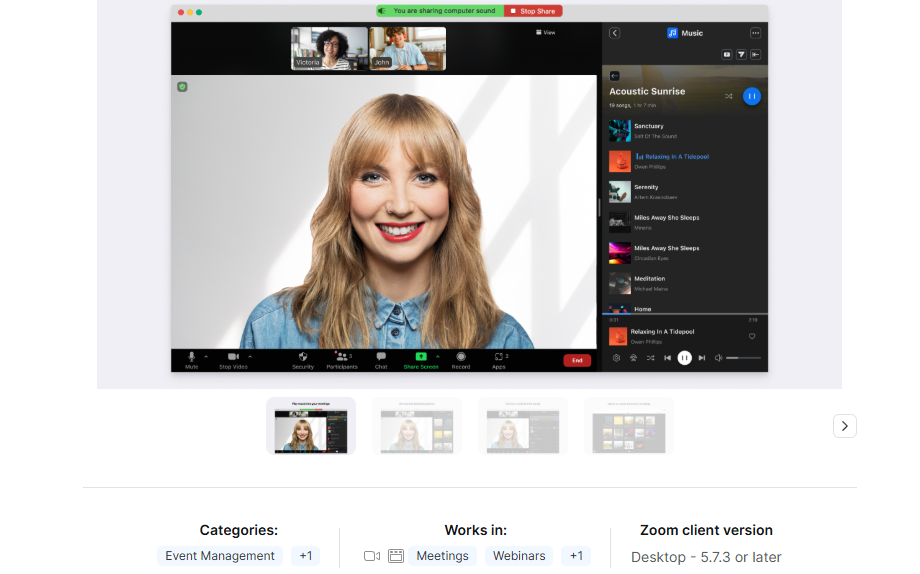
- Zoom: Turning on “Original Sound for Musicians” stops background noise filtering. You can also share playlists using the built-in Zoom Music APP.
- VooV Meeting: The two can start an unlimited meeting; all they need to do is have one person play music, and the other can listen to music together.
- Google Meet + Spotify: Use the built-in Spotify Jam add-on directly in Google Meet, but Spotify Premium is required.
Method 5: Third-Party Social Audio & Music Chat Platforms
Some third-party applications can also achieve Spotify Listen Together.
- EQUALS: The app lets you see what others are listening to, join chat rooms for specific artists, and use music to start conversations. It focuses on finding new friends with similar tastes rather than just connecting with people you already know.
- Fluo Chat: A new platform that uses musical chat rooms to help people meet. It is designed to be a digital version of going out at night.
Method 6: Use Music Chat Online Platforms
Instead of downloading the app, you can use an online music chat platform. It doesn’t require a download and works instantly once you log in.
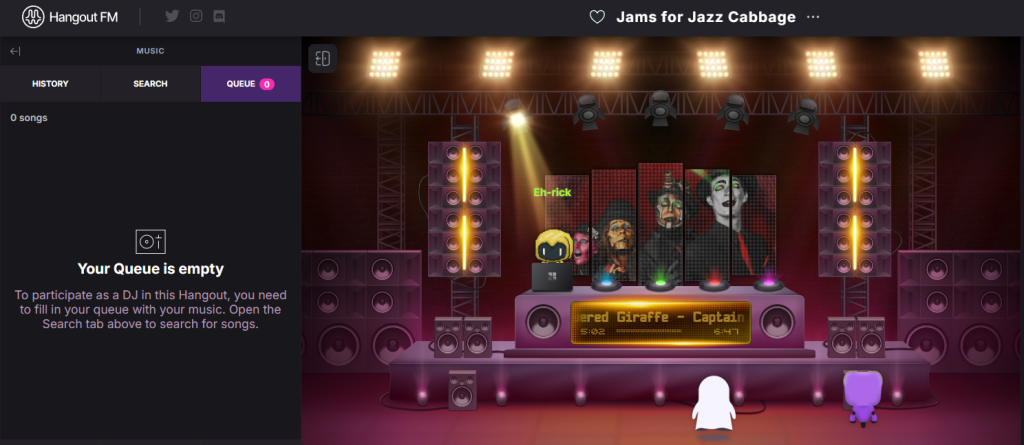
- Hangout.fm: Create custom virtual rooms to stream music, hang out, and chat with friends or a community.
- makromusic: A mobile-first platform that matches you with users worldwide based on the music you are currently playing.
- Meet Music: Pairs you with people listening to the same song or artist for anonymous chats or matchmaking.
Final Thoughts
Whether you use Spotify listening together, shared playlists, Discord, or a simple video call, the goal is the same: creating meaningful moments through music.
Personally, I think using the Spotify Premium MOD APK is the best option. It’s Spotify’s built-in Jam feature, so there’s no need to download anything else, and you can even listen to pre-created playlists directly.
For anyone looking to make distance feel a little smaller, sharing music together may be one of the simplest and most effective solutions available today.


