
If you’ve hit shuffle on a Spotify playlist lately and heard songs you never added yourself, you’ve encountered spotify smart shuffle — one of the platform’s most polarizing features in recent years. What started as a quiet upgrade to Spotify’s decades-old shuffle mode has split the user base sharply: some listeners praise it as an effortless discovery tool, while others dismiss it as unwanted algorithmic interference that ruins carefully curated collections. In this deep dive, we break down exactly how does spotify smart shuffle work, how it differs from classic shuffle, why it triggers so many common spotify queue problem complaints, and whether you should keep it enabled or turn it off for good.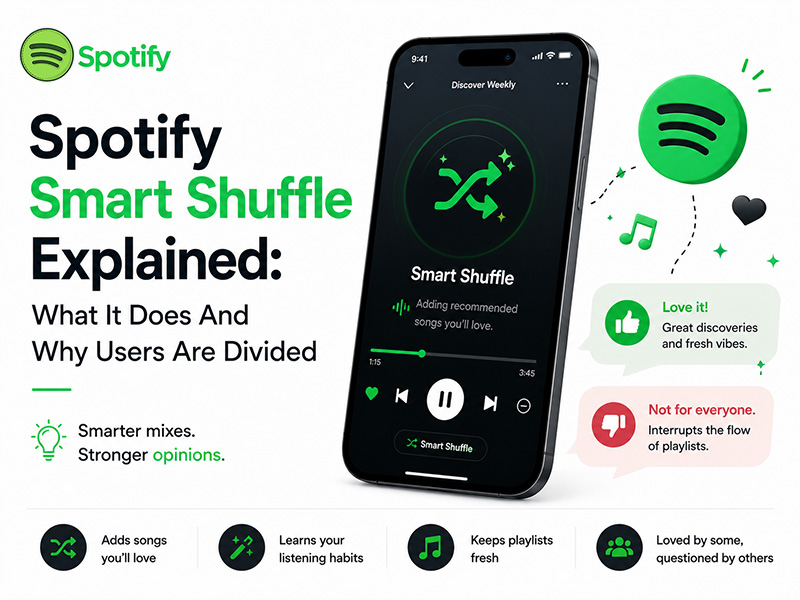
What Is Spotify Smart Shuffle
At its simplest, smart shuffle spotify is an AI-powered playback mode that does more than just reorder the songs in your playlist. While traditional shuffle randomly rearranges the tracks you already saved, Smart Shuffle actively injects brand-new, algorithmically recommended songs into your listening queue alongside your existing music.
Think of it as a built-in DJ that reads the vibe of your playlist and adds complementary tracks in real time. Recommended songs are marked with a small sparkle icon next to the artist name, so you can tell them apart from the tracks you originally added. The feature works on nearly every playlist type — your custom collections, Liked Songs, and even official curated playlists — and is available to both free and Premium users, though Premium subscribers get more control over toggling it on and off.
Crucially, Smart Shuffle never permanently modifies your actual playlist. It only changes what plays in your current session queue. Your saved tracks stay exactly as you left them, which is a common point of confusion for new users.
How Does Spotify Smart Shuffle Work
To understand why the feature feels so hit-or-miss for different people, it helps to know what’s happening under the hood. How does spotify smart shuffle work? The system relies on three layers of analysis to pick which songs to insert:
- Playlist context analysis
The algorithm first scans your entire playlist to map its core characteristics — genre, tempo, mood, energy level, and acoustic properties. It looks for patterns across all your tracks to define the overall vibe, rather than just matching one song at a time.
- Personal taste profiling
Next, it pulls from your individual listening history. It factors in which songs you frequently replay, which ones you skip quickly, and which artists and genres appear most often in your library. This is why the same playlist can generate very different Smart Shuffle results for two different listeners.
- Collaborative filtering & global data
Finally, Spotify cross-references against its massive database of global listening behavior. It finds what other users with similar taste profiles play alongside songs from your playlist, and uses that data to surface deeper cuts and emerging artists you might not have found on your own.
In practice, recommended tracks usually appear roughly every three to four songs in your queue, keeping the balance tilted toward your familiar favorites while sprinkling in new discoveries.
Why Many Listeners Love Smart Shuffle
For a large portion of users, spotify smart shuffle is a genuine upgrade that makes everyday listening better. Its biggest fans point to these core benefits:
- Effortless music discovery. You don’t have to go searching for new music. Fresh tracks come to you, matched perfectly to the mood of your existing playlist. For background listening at work, the gym, or while cooking, this keeps sessions feeling fresh without extra effort.
- Endless playback for long sessions. Short playlists no longer repeat quickly. Smart Shuffle extends your listening session naturally, so you don’t have to manually queue up more music when your list runs out.
- Vibe consistency. Unlike Spotify Radio, which can drift far from your starting point, Smart Shuffle stays anchored to your original playlist’s mood. The recommendations feel like natural extensions of what you already chose, not random detours.
- Discovery without commitment. You can hear new songs without permanently adding them to your library. If you love a recommendation, you can save it with one tap; if you don’t, you can skip it and never hear it again.
For casual listeners and people who prioritize discovery over strict control, the feature works exactly as advertised.
Why Users Are Divided: The Frustrations & Queue Problems
For every fan of Smart Shuffle, there’s another listener who finds it deeply frustrating. Most of the complaints circle back to control, transparency, and a recurring spotify queue problem that makes playback feel unpredictable.
1. It overrides carefully curated playlists
The biggest complaint is simple: many users build playlists intentionally, with a specific track order, flow, or song selection in mind. Smart Shuffle inserts foreign songs into that sequence without asking, which can feel like Spotify is editing your personal collection. For users who spend hours curating the perfect playlist for a mood, event, or workout, this interference ruins the point of having a custom list at all.
2. It creates confusing queue behavior
The spotify queue problem is the most common technical frustration. When Smart Shuffle is active, your queue no longer reflects just the songs you added. It’s a dynamic mix of your tracks and algorithmic picks that updates in real time. This leads to several annoying issues:
- You can’t predict what song will play next, even if you know your playlist by heart
- Manually queued songs can get pushed down or lost in the mix
- Switching between playlists can leave leftover recommended tracks lingering in the queue
- The queue can feel “stuck” in Smart Shuffle mode even after you toggle the button off, requiring a full app restart to reset
3. It‘s forced on free mobile users
For Spotify Free users on mobile, Smart Shuffle is often the default playback mode for playlists and albums. Free listeners don’t always have the option to switch back to a clean, classic shuffle, which makes the feature feel like a pushy upsell tactic rather than a useful tool.
4. Recommendations can feel repetitive or off-target
Critics also note that the algorithm isn’t always accurate. Some users report hearing the same handful of recommended songs over and over, or getting suggestions that don’t match the playlist’s vibe at all. For niche or highly specific playlists, the recommendations can feel generic and out of place.
How to Toggle Smart Shuffle On or Off
The good news is that for most users, turning smart shuffle spotify on or off takes just one tap. Here’s how to control it:
- Open any playlist on the Spotify mobile app
- Look at the shuffle icon near the playback controls
- Tap the icon to cycle through modes: shuffle off, classic shuffle, and Smart Shuffle
- When Smart Shuffle is active, the shuffle icon glows green and shows a small sparkle effect
- To confirm, open your queue; recommended tracks will have the sparkle icon next to them
If you’re on desktop, you can also find the toggle in the playback bar at the bottom of the screen. Note that if you’re controlling playback through Spotify Connect on another device, you may need to adjust the setting on the host device directly.
Final Thoughts
At the end of the day, spotify smart shuffle is neither a miracle feature nor a broken one. It’s a tool built for a specific type of listener. If you love discovering new music, enjoy background listening, and don’t mind ceding a little control to the algorithm, it’s a fantastic upgrade that makes your playlists feel bigger and fresher.
If you’re the kind of listener who curates playlists with intention, values full control over your queue, and hates the constant spotify queue problem surprises, you’re better off turning it off and sticking with classic shuffle. There’s no right or wrong answer. It all depends on what you want from your listening experience.
The best approach for most people is to use it strategically: keep Smart Shuffle on for casual, background-music playlists where discovery is a bonus, and turn it off for your carefully built collections where every song matters.


